 ▾
▾When you type a website address into the browser, the correct page loads in an instant. This is managed by the DNS system, without which the internet as we know it would not exist at all. In this article, you will learn what DNS is, how it works, what types of records it contains, and why it is important for both speed and security of the connection.
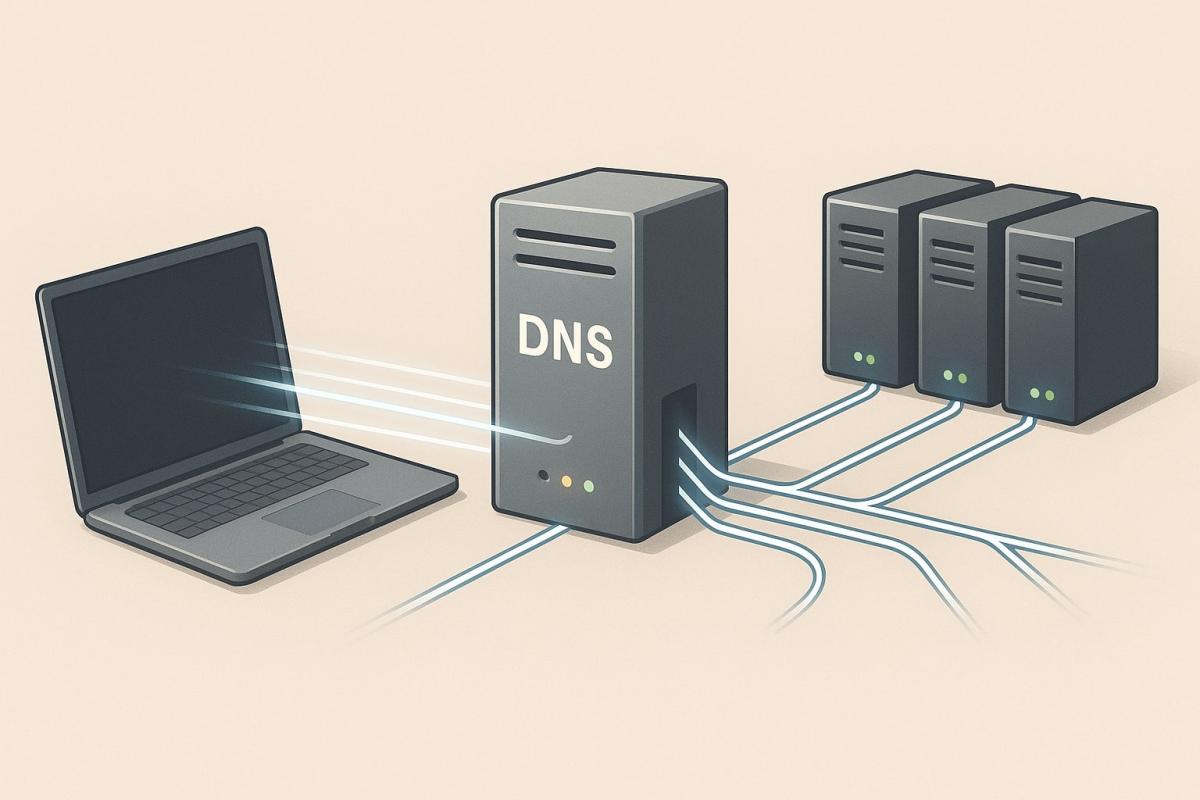
Loading web pages is something we take for granted. You enter the address, press Enter, and the correct page appears in an instant. In reality, a complex process takes place, which is handled by DNS (Domain Name System).
DNS servers ensure the translation of domain names, such as www.google.com, into numerical IP addresses. This directs the request to the correct target, and the website loads without delay. Thanks to DNS, there's no need to deal with long numerical codes, but rather remember a simple name.
The significance of this technology is greater than most people realize. DNS contributes not only to the convenient use of the internet but also to its speed and security. Properly configured records can speed up the loading of websites, protect against attacks, and ensure a stable connection.
In this article, we will explain how DNS works in practice, what types of DNS records exist, when changing settings might make sense, and what trends are advancing this area.
What is DNS and how does it work?
If you're wondering what DNS is, the answer leads to the very foundations of the internet. DNS has been in operation since 1983, when it was proposed by Paul Mockapetris as a replacement for the HOSTS.TXT file. Originally, this file maintained a list of all known domains and their addresses, but with the rapid growth of the network, it became unusable.
Since then, DNS has become an indispensable part of the internet. It operates thanks to a network of cooperating servers, which are hierarchically arranged and can handle billions of requests daily without overloading.
The translation process itself proceeds as follows:
- The request from your computer is first handled by a resolver, usually at the internet service provider.
- The resolver contacts the root DNS server, which refers to the correct domain area (e.g., .cz or .com).
- The next step directs to the TLD server, which knows the records for specific domains.
- Finally, the authoritative DNS server returns the IP address your browser needs.
How DNS affects speed and security
Correctly configured DNS has a direct impact on connection speed and stability. If the service is slow or overloaded, the time it takes for a page to load will be longer. Therefore, internet providers and large companies operate powerful DNS servers that can process enormous amounts of requests within milliseconds.
Security is just as important. Attackers can exploit weaknesses in DNS to redirect users to fake sites. Therefore, there are extensions like DNSSEC that verify the authenticity of responses and protect against data manipulation. This makes the connection more reliable and reduces the risk of fraud.
For the average user, this means that the correct DNS configuration can speed up website loading and simultaneously increase the level of protection. In some cases, it pays to use alternative providers, such as Google DNS or Cloudflare, instead of the default solution from the internet provider.
What types of DNS records exist?
DNS works with different types of records, which dictate how a domain should be routed and what services belong to it. Each of them has a specific role and together they form a complete picture of the operation of the given domain.
- A record – translates a domain name to an IPv4 address.
- AAAA record – similar to the A record, but used for IPv6.
- CNAME record – an alias that redirects one domain to another.
- MX record – specifies where emails for the domain should be delivered.
- NS record – defines which DNS servers are authoritative for a particular domain.
- TXT record – stores textual information, used for example to verify a domain or set up SPF for emails.
- PTR record – used for reverse lookup, i.e., from an IP address back to the domain name.
- SRV record – specifies on which server and port a particular service (e.g., VoIP) runs.
These DNS records are usually managed by the domain administrator or the hosting provider. For the average user, it is good to know that they decide on the correct routing of a website, email delivery, or service availability.

How to set up DNS
Default DNS servers from the internet provider work reliably, and for most people, there is no need to change them. Only those who know what they're doing should venture into DNS settings – incorrect values can cause some websites to not load at all.
Change makes sense mainly for advanced users who want to try alternative services. Public DNS servers, like Google (8.8.8.8 and 8.8.4.4) or Cloudflare (1.1.1.1 and 1.0.0.1), can sometimes offer faster response or a higher level of security, for example by blocking harmful domains.
Changing settings on a device
- Open network settings (Wi-Fi or wired connection).
- Find the option to manually enter DNS server addresses.
- Enter the preferred and alternative IP address of the chosen provider.
- Save the changes and restart the connection.
Changing settings on the router
- Log into the router's administrative interface.
- In the network settings section, find the area for DNS servers.
- Enter the new addresses and save the configuration.
- From that moment on, all devices in the network will use the chosen DNS provider.
If you're unsure, it's better to keep the default values from the internet provider. For most users, it is the safest choice.
Common problems and their solutions
Even though DNS usually works without user intervention, errors can occasionally occur. Most often, these are situations recognizable even without technical knowledge.
Pages load slowly
It's usually not an issue with DNS, but with the internet connection itself or the website server load. If it happens frequently, try restarting the router or contacting the provider.
Error message 'DNS server not responding'
This means that your computer or phone did not receive a response from the DNS server. Restarting the device or router can help. If the problem persists, the error is likely on the side of the internet provider.
Some websites are blocked
Sometimes pages are blocked at the DNS level. Advanced users can try alternative services like Google DNS or Cloudflare. However, if you're unsure, it's better to keep the default DNS settings.
Not just technology, but also practical impact for everyone
When we know what DNS is, it's good to realize its role in everyday internet use. Although it is managed by administrators and providers, everything depends on it – from opening a webpage to sending an email.
Even though the abbreviation DNS might seem complex, in practice, it's a technology without which no online service would be available as easily and reliably as we're accustomed to.
What are AI agents and how can they help you today?

AI agents are no longer just an experiment of tech companies. They are increasingly appearing in tools we use every day and can independently plan, decide, and execute tasks. We explain what an AI agent is, how it differs from a regular chatbot, and where it can actually save you time and energy.
What is cache and how to clear it

The concept of cache appears in browsers, phone settings, and when troubleshooting websites, but few know what it exactly means. Cache aims to speed up data loading, but sometimes it can be rather a hindrance. Let's explain what cache memory is, how it works in practice, and when it's sensible to clear it.
digital carbon footprint: how the internet and online services burden the planet

Everyday online activities have a real energy footprint that quickly multiplies in total. In the article, we will look at what digital carbon footprint means, how much energy regular internet use costs, and which activities burden the environment the most. Areas where consumption is growing the fastest and impact is not immediately visible deserve special attention.
Is blue light really a problem? The answer isn't so simple

The topic of blue light has led to many simplifications and unnecessary fears. Blue light exposure before sleep is often discussed, but its impact is not limited to just sleep. Let's put things in context, separate facts from myths, and see when it makes sense to address its effects and when it is more about excessive concern.
Are you chatting with a human or a bot? How to identify AI in chat

Online chats are often handled by artificial intelligence today, and at first glance, the responses appear to be from a real person. This is especially true for customer support, where speed and fluency are key. We'll look at how to identify AI in chat, what signs you can use to distinguish it from a human, and where the line of recognition becomes very thin.
What is ransomware and why does it no longer threaten only large companies?

Ransomware attacks are among the most common cyber threats today and are no longer just a concern for large companies. Just one careless click can cost you access to your data. We'll explain what ransomware is, how it works, and why attackers are increasingly targeting average users and smaller businesses.