 ▾
▾Forgotten passwords, recycled combinations, and fear of data leaks. Traditional login methods have their weak points. A new way to verify identity, known as passkeys, aims to change that. Without the need to remember anything and with a focus on security. How do they work, who is already using them today, and why are they becoming the new standard?
Do you remember all your passwords? And do you have a different one for each account? If not, you're not alone. Most people use the same or easily guessable passwords, putting their digital security at risk.
Modern technology, however, brings a new way to log in more securely and conveniently. Without the need to remember anything. It's called a passkey and relies on biometrics or other verification directly on your device. More and more services are offering this login method as a default, and thus regular passwords are gradually fading into the background.
In this article, we will look at what passkeys are, how they work, where you can encounter them today, and why they will likely soon become the new standard.
What are passkeys and how do they differ from regular passwords?
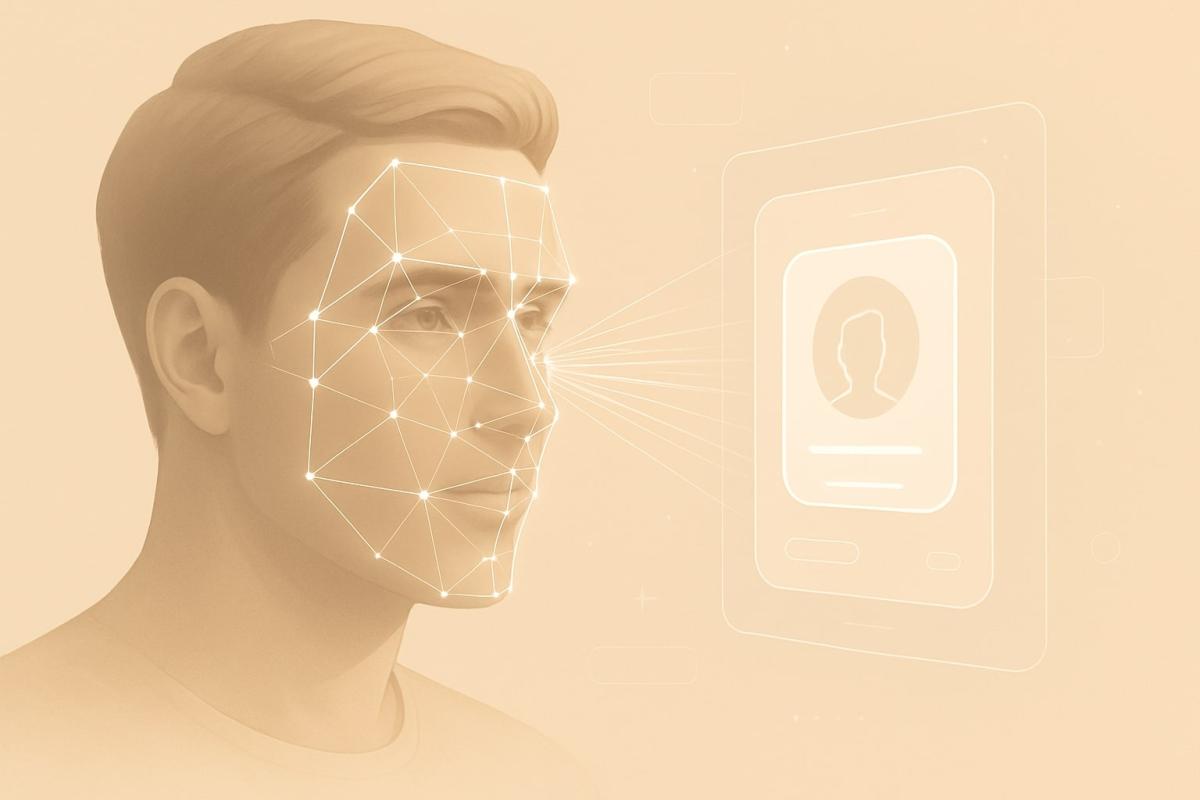
A passkey is a new way of logging in that solves an old well-known problem: passwords are often weak, frequently reused, and easily forgotten. With passkeys, there's nothing you need to remember. You just need verification via a fingerprint, facial scan, or PIN that you already commonly use, for example, to unlock your phone.
The whole process operates on the principle of two keys. The service (like Google or TikTok) only stores the public one, while the private key remains securely stored on your device and never leaves it. During login, the device and server verify that they belong to each other – without typing a password or transmitting sensitive data over the internet.
Unlike traditional passwords, there is nothing to eavesdrop on or steal from the server. Passkeys are resistant to phishing, leaks, and fake login pages. The whole process is faster, safer, and much more convenient for the regular user.
Passwordless login in practice
Logging in with a passkey looks as simple at first glance as unlocking a phone – and that's exactly where its advantage lies. Instead of entering a password, the web or app asks if you want to use the stored key. Confirmation then happens directly on the device, for example through Face ID, Touch ID, or a PIN.
It starts getting interesting when you log in from a device other than where your passkey is stored. For example, opening a webpage on a computer, but the passkey is in your phone. In that case, you might get a prompt for verification on your mobile, perhaps through Bluetooth or a QR code.
The system is designed to work across platforms and be ready for everyday use. Passkeys can be synchronized through an Apple ID, Google account, or some password managers and used conveniently on other devices as well.
Google, Apple, Microsoft: who already supports passkeys
The biggest technology platforms – Google, Apple, and Microsoft – already support passkeys. For some services, they are even the default option when creating a new account.
Other services that already allow passkeys include TikTok, PayPal, eBay, and Uber. More banks and other applications, where security is absolutely essential, are also joining.
Password managers like 1Password, Dashlane, and Bitwarden play a crucial role in allowing passkeys to be stored, synchronized between devices, and used easily outside the Apple, Google, or Microsoft ecosystems.
Passkeys are quickly becoming a new standard – and if you're not using them yet, it's quite likely that you'll encounter them soon.
How to start using passkeys on your device
Getting started with passkeys is very simple, as most devices already have everything you need. If you're using an iPhone, Mac, Android phone, or Windows computer, just have basic security features like a PIN, Face ID, or Touch ID enabled.
When creating a new account or updating settings for existing services, the application often offers you the option to sign in without a password. Once you confirm it, a login key is saved on your device. It will then automatically be offered for each subsequent login.
You can find the management of stored passkeys directly in the device settings. On Apple devices, they are part of your Apple ID in the "Passwords & Security" section, Android integrates them within Google's Password Manager, and tools like 1Password or Dashlane display them directly in their interfaces alongside regular passwords.
The good news is that if you have backups and synchronization enabled (e.g., iCloud or Google account), you can use passkeys across devices, and thus log into a service on a computer using a phone.
The future of login according to FIDO Alliance
This technology is backed by an initiative by the FIDO Alliance, which brings together tech leaders like Google, Apple, Microsoft, and Amazon. Together, they are promoting a new standard aimed at gradually replacing passwords entirely. The goal is not only higher security but also a login experience that feels natural and convenient for users.
FIDO advocates for passwordless logins across devices and services. Thanks to open standards, passkeys already work between different systems and platforms today, and in the future, this type of login will be available everywhere – from regular websites to banking apps, healthcare, or corporate systems.
Digital security starts with you
The internet is increasingly interconnected with our personal data, finances, and everyday lives. And it's also full of threats that may not be immediately visible. Password leaks, fake login pages, or compromised databases are not unusual today.
Passkey technology brings a new layer of protection. It's stronger than traditional passwords and also easier to use. Instead of entering credentials, verification happens directly on your device, which remains fully under your control.
You might not be using them yet. But the world around you is transitioning to them. And the sooner you get acquainted with them, the better for your digital security.
What is cache and how to clear it

The concept of cache appears in browsers, phone settings, and when troubleshooting websites, but few know what it exactly means. Cache aims to speed up data loading, but sometimes it can be rather a hindrance. Let's explain what cache memory is, how it works in practice, and when it's sensible to clear it.
digital carbon footprint: how the internet and online services burden the planet

Everyday online activities have a real energy footprint that quickly multiplies in total. In the article, we will look at what digital carbon footprint means, how much energy regular internet use costs, and which activities burden the environment the most. Areas where consumption is growing the fastest and impact is not immediately visible deserve special attention.
Is blue light really a problem? The answer isn't so simple

The topic of blue light has led to many simplifications and unnecessary fears. Blue light exposure before sleep is often discussed, but its impact is not limited to just sleep. Let's put things in context, separate facts from myths, and see when it makes sense to address its effects and when it is more about excessive concern.
Are you chatting with a human or a bot? How to identify AI in chat

Online chats are often handled by artificial intelligence today, and at first glance, the responses appear to be from a real person. This is especially true for customer support, where speed and fluency are key. We'll look at how to identify AI in chat, what signs you can use to distinguish it from a human, and where the line of recognition becomes very thin.
What is ransomware and why does it no longer threaten only large companies?

Ransomware attacks are among the most common cyber threats today and are no longer just a concern for large companies. Just one careless click can cost you access to your data. We'll explain what ransomware is, how it works, and why attackers are increasingly targeting average users and smaller businesses.
How zero trust works: why mere connectivity no longer means safety

Connecting to the internet today is not just a matter of speed but also of trust. Networks handle more and more devices, sensitive data, and services that communicate almost constantly. This is why an approach called zero trust has emerged, where nothing is automatically considered safe. The article explains why this model was created and how it subtly influences everyday internet functioning.