 ▾
▾RoboMind is an educational tool designed to teach the basics of programming using a virtual robot. It uses the simple Robo programming language, which is an ideal choice for beginners. Students learn algorithmic thinking through practical tasks such as navigating mazes or manipulating objects.
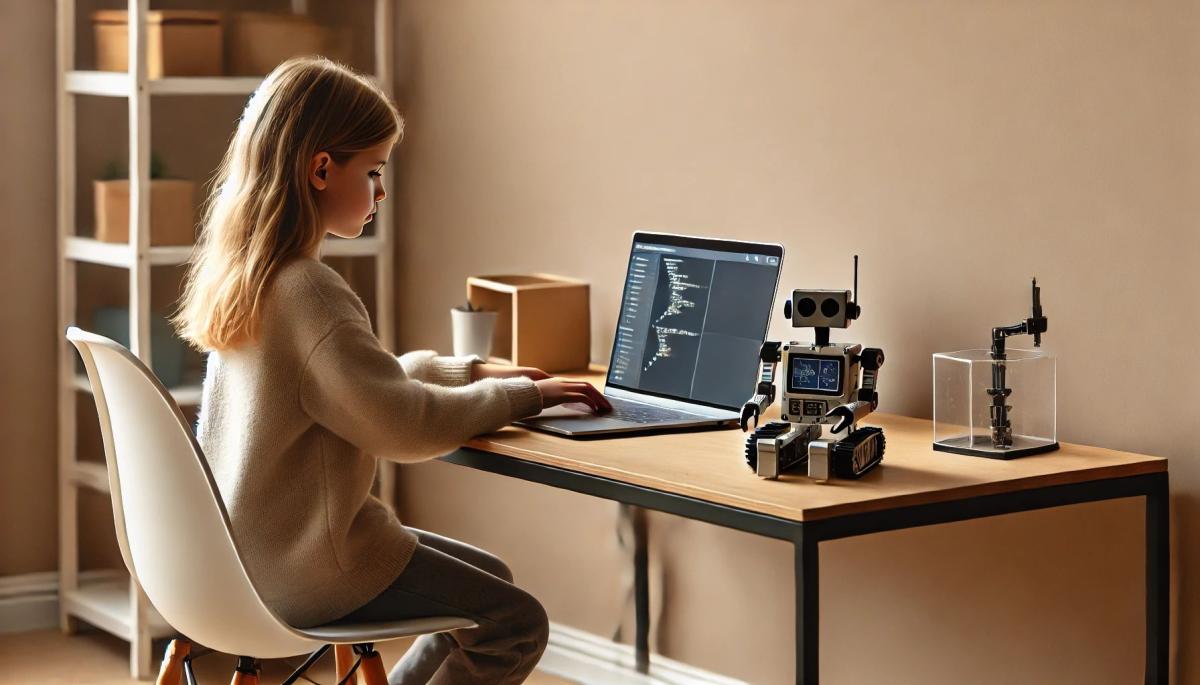
In the 21st century, digital literacy is becoming as important as the ability to read and write. While many educational programs rely on overly simplified visual environments, RoboMind comes with a balanced approach. It combines clarity with practical learning, making it appealing to both primary school children and beginner programmers.
What is RoboMind?
RoboMind is an educational platform designed for teaching programming through controlling a virtual robot. Its foundation is the Robo programming language, which, with its simplicity, allows even beginners to quickly grasp the basic principles.
This interactive tool is especially suitable for children, offering them a playful way of learning. Users gradually acquire algorithmic thinking, including concepts such as loops, conditions, and variables. The learning system is designed systematically from simple tasks to more complex ones.
The virtual environment simulates real situations – the robot moves across different types of surfaces, such as warehouses or mazes. Besides programming knowledge, RoboMind also develops logical reasoning, creativity, and problem-solving skills. It is also a plus that it is available for free.
How does RoboMind work?
RoboMind uses the intuitive Robo programming language for teaching. It is designed to help users quickly understand the basic principles and gradually develop their skills. The first lessons start with simple commands for moving the robot, such as moving forward or turning.
Then, more complex functions are added, such as picking up objects or drawing shapes. The systematic approach helps to understand the structure of the whole tool and the sequence of commands.
The lessons consist of prepared sessions that gradually introduce more advanced concepts like loops, conditions, and variables. The system also provides immediate feedback – the robot either completes the assigned task or points out errors in the code. Users can also create their own scenarios.
Advantages of RoboMind
RoboMind offers a realistic simulation of working with robots, in contrast to other programs. They execute specific commands and solve practical tasks in the environment. The Robo programming language mentioned earlier acts as an ideal bridge between block coding and more advanced languages like Python or Java.
Unlike visual block stacking in Blockly Games, children learn actual syntax here. Another great advantage is the free availability of the platform, distinguishing it from paid alternatives like Tynker or Minecraft: Education Edition.
Disadvantages of RoboMind
Unlike Scratch or Alice, it offers less room for creativity. Users are mostly limited to completing predefined tasks. The simple graphics, which are not as attractive as, for instance, Minecraft: Education Edition, might especially bother children.
The need to install the application can be a technical hurdle, whereas many competing platforms operate directly in the browser. RoboMind also lacks advanced features for more experienced users and does not support integration with physical robots.
For teachers, lesson preparation might be more challenging because the tool does not offer as extensive support in the form of educational materials and plans as, for example, Code.org or Tynker.
How to start with RoboMind?
If you want to get started with RoboMind, you need to download the application from the company’s official website onto your computer or laptop. Be sure to choose the correct version for your operating system (Windows, macOS, or Linux). Then, follow the installation wizard instructions.
After launching it, go through the tutorial with your children, which will acquaint you with the basics of controlling the robot and using commands. Then you can start with simple tasks like moving the robot forward, turning, or navigating on the game board.
With growing experience, you can gradually move on to more complex concepts. You can also experiment with drawing geometric shapes or creating your own scenarios. Educational videos can also be utilized.
RoboMind is suitable for both self-study and classroom teaching, where teachers can use prepared tasks, even for group work. Despite certain limitations, it remains a suitable choice for beginners who are just getting acquainted with programming and working with robots.
Is incognito mode really anonymous? Who still sees what you're doing

Do you think incognito mode hides you from everyone on the internet? In reality, it works a bit differently. We explain what it actually does, when it's sensible to use it, who can still see your activity, and whether history can be traced in incognito mode.
Why Does AI Hallucinate? A Peek Under the Hood of Language Models

AI can answer almost any question in just a few seconds. However, sometimes it confidently states information that is not true. Why does this happen and what are so-called AI hallucinations? In this article, we'll explain how large language models work, why they sometimes create false answers and how developers are gradually trying to mitigate this issue.
What is a CDN and why is internet content copied worldwide
Behind every loaded video, photo, or webpage is a technology called CDN. It is used by streaming services, social networks, and regular websites, yet many people have never heard of it. In this article, we will explain what this abbreviation means, how it works, why internet content is stored in various locations around the world, and why today's internet can hardly do without it.
Who will inherit your photos, emails and accounts? Digital legacy is rarely addressed

When talking about inheritance, most people think of a house, a car or money in the account. Yet we also leave behind thousands of photos, emails, social media accounts or data stored in the cloud. What happens to them after death, and who will gain access to them? This article looks at how digital legacy works, why the bereaved may have problems with data, and how to get organized in your online footprint today.
Where does the internet really flow? Hair-thin fibers connecting continents

The idea that the internet flows mainly through the air is a myth. The entire technological world relies on heavy hardware buried in the sand of the seas. In the article, we will examine the technology of submarine cables. You will learn how optical fibers work, what laying them from ships entails, and how the depths of the oceans have become a geopolitical battlefield.
Why Subscription Fatigue Troubles Us and How to Stop Money Disappearing in 4 Steps

How much money leaves your account each month for online services? The recurring payment model often exhausts people because numerous small amounts gradually add up to unexpectedly high totals. The text relies on fresh data from 2026, reveals the vast difference between our estimates and reality, and offers four specific steps to help you better control your expenses.